Online access

Attendance from every reader, from anywhere

RCP-CLOUD collects punches from your RAZ-RCP-1 readers and shows them in your browser. Who is in today, who was late, the shift roster, leave requests and attendance sheets to sign as PDF - from the office, from home or from your phone.

The RCP-CLOUD panel is currently available in Polish only.

  • Any number of readers
  • Shift roster and leave requests
  • Attendance sheets as PDF
  • Data kept in the EU

This is RCP-CLOUD

The panel runs in your browser, on a computer or a phone. Click a screen to see it.
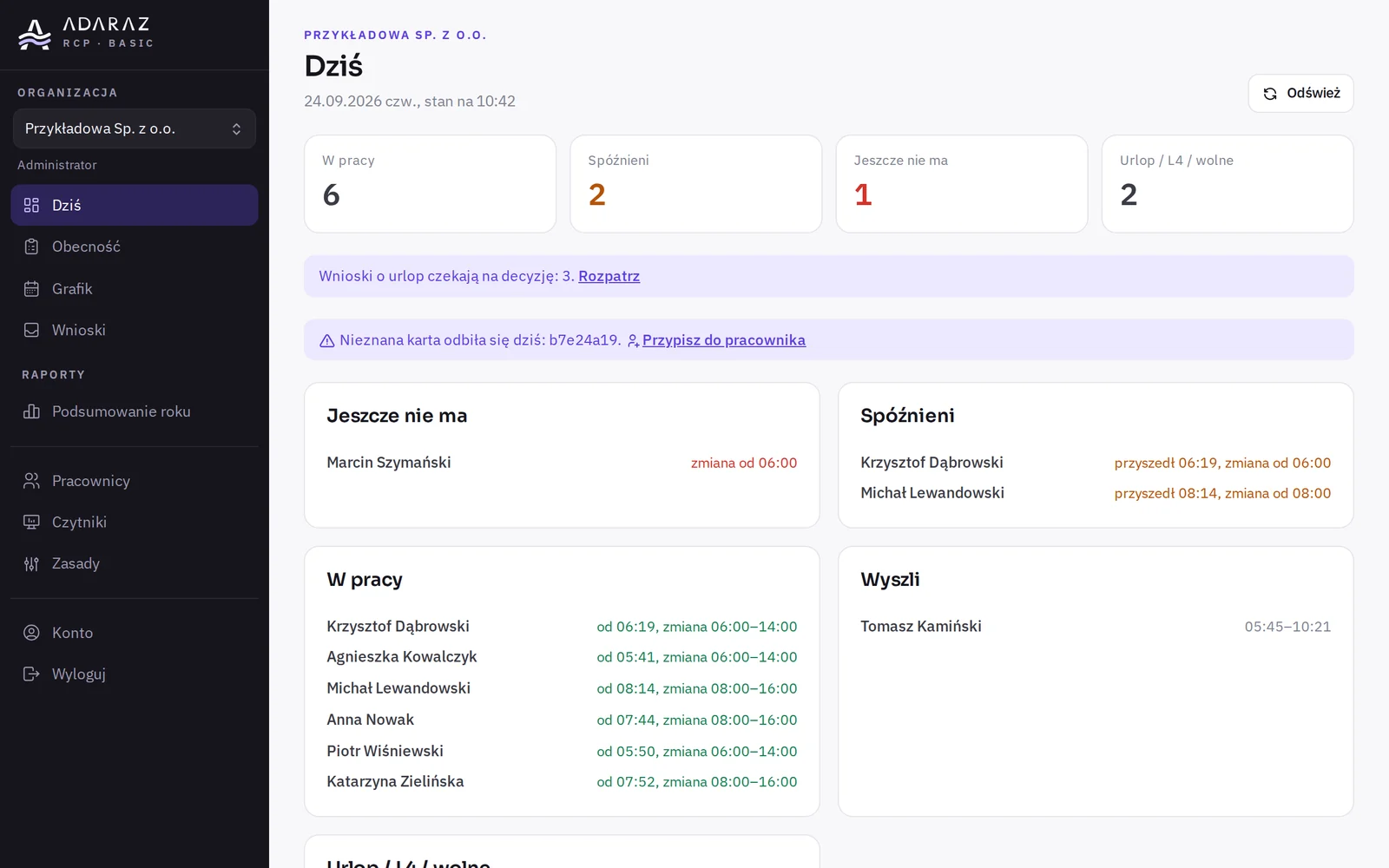
RCP-CLOUD panel, screen: Today

Today. Who is at work, who was late and who is not in yet. New requests and unknown cards right at the top.

Screenshots of the real RCP-CLOUD panel (in Polish), sample data.

Order

Plan

More than 100 employees? Contact us

Period

Monthly

The monthly subscription renews automatically and is paid by card.

12 months / 24 months

A 12 or 24-month licence is paid once: by BLIK, online bank transfer or card.

Text messages

The up-to-30-employees plan includes 50 text messages a month, the up-to-100 plan 150. Each extra message costs PLN 0.20 net and is invoiced. You can switch text messages off: the roster is in the employee panel anyway.

More than 100 employees? Contact us and we will find the right plan.

We sell to businesses. You will enter your tax ID at checkout and get a VAT invoice by email.

We've been making time clocks for 8 years

Our earlier devices were called SKRYBA-1. Many of them are still in use, and we still service them.

Several readers

Connect as many readers as you need

Two entrances, a warehouse and an office, or several branches? Connect 2, 3, 4 readers to one account - as many as you like. Plans depend on the number of employees, not readers.
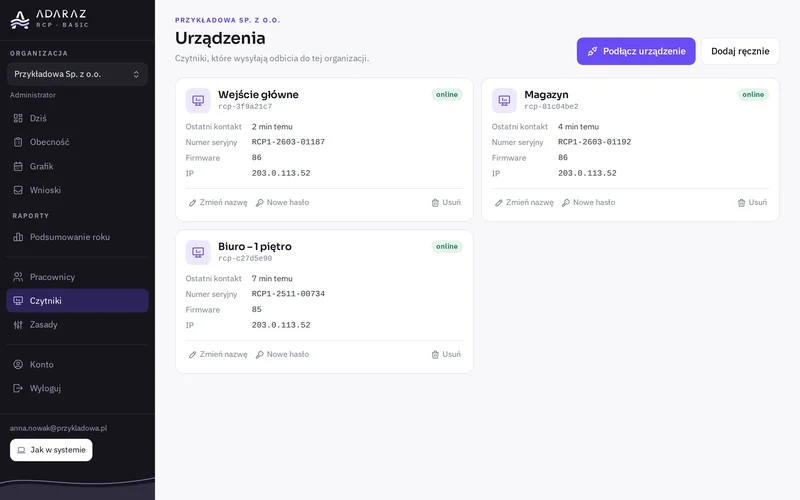
  • Staff can tap any reader, and their hours add up in one attendance sheet.
  • Name each reader your way, e.g. "Main entrance".
  • See which reader is online, when it last checked in and which software version it runs.
  • If a reader loses internet, punches wait in it and arrive once the network is back.
Reader list in RCP-CLOUD: three readers online with last contact and software version
  1. In the cloud, click "Connect device"
  2. Enter the code in the reader panel
  3. Punches reach the cloud on their own

The code works for 15 minutes and only once.

Employee panel

Every employee gets their own panel - no account, no password

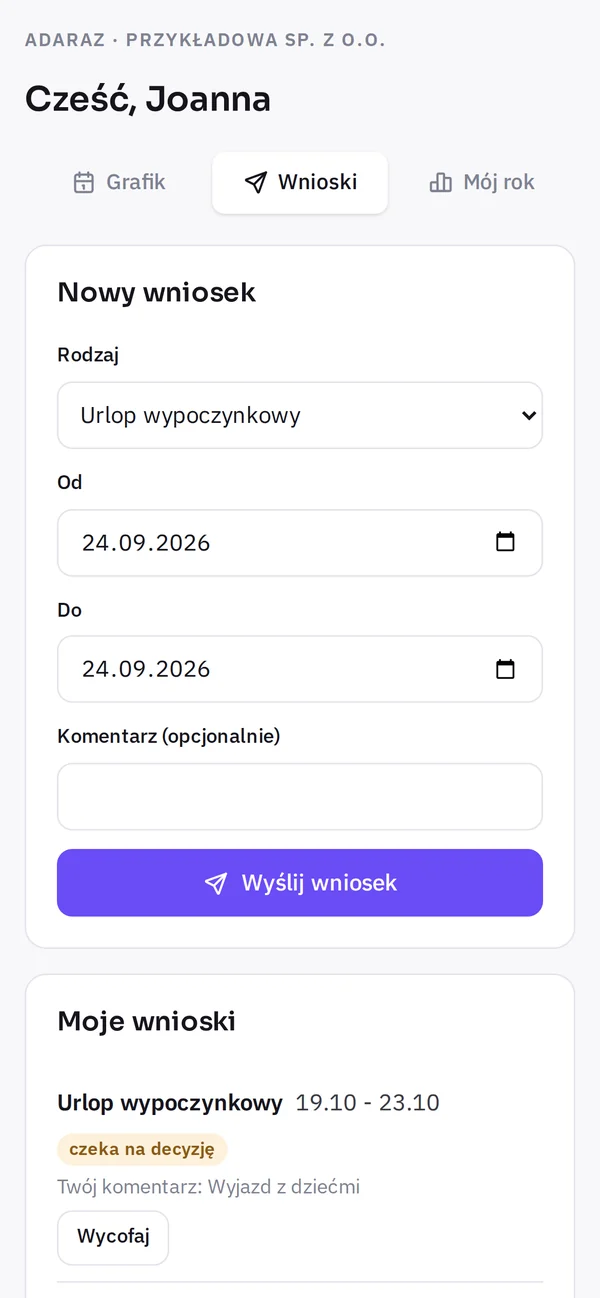
Employees get a personal link by text message. They open it on their phone to see their roster, send leave requests and check how many days off they have used. Nothing to install.
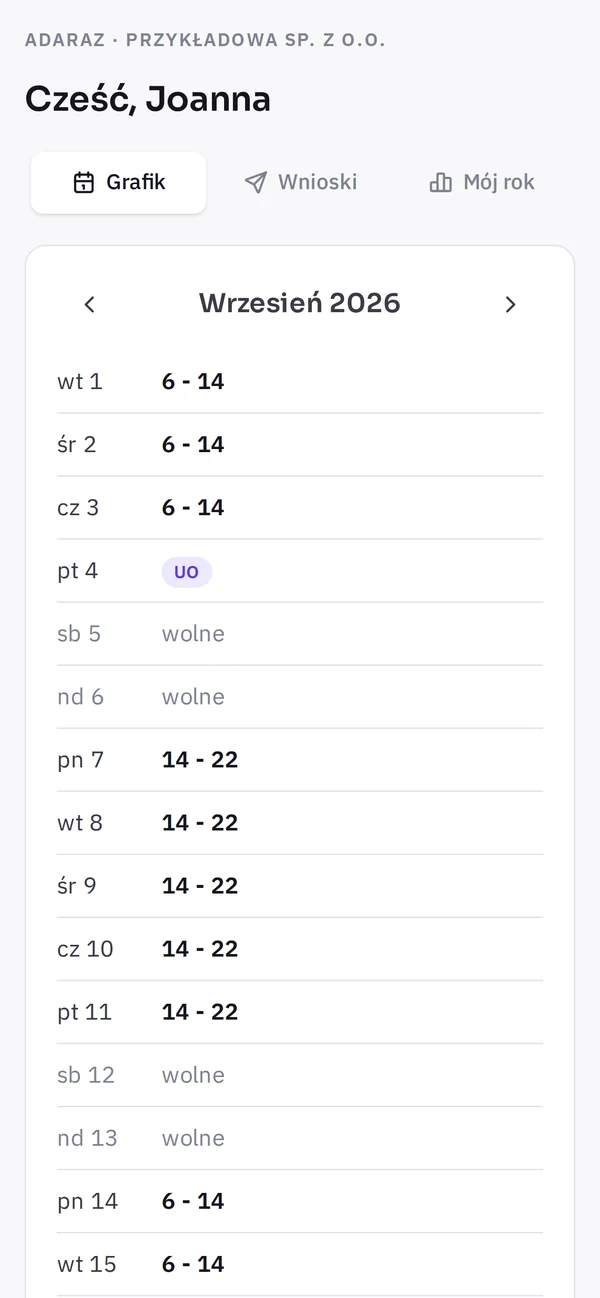
  • The whole month's roster as the office published it, public holidays included.
  • A leave request in seconds: type, dates and a comment. A pending request can be withdrawn.
  • They see the office's decision, including the reason for a rejection.
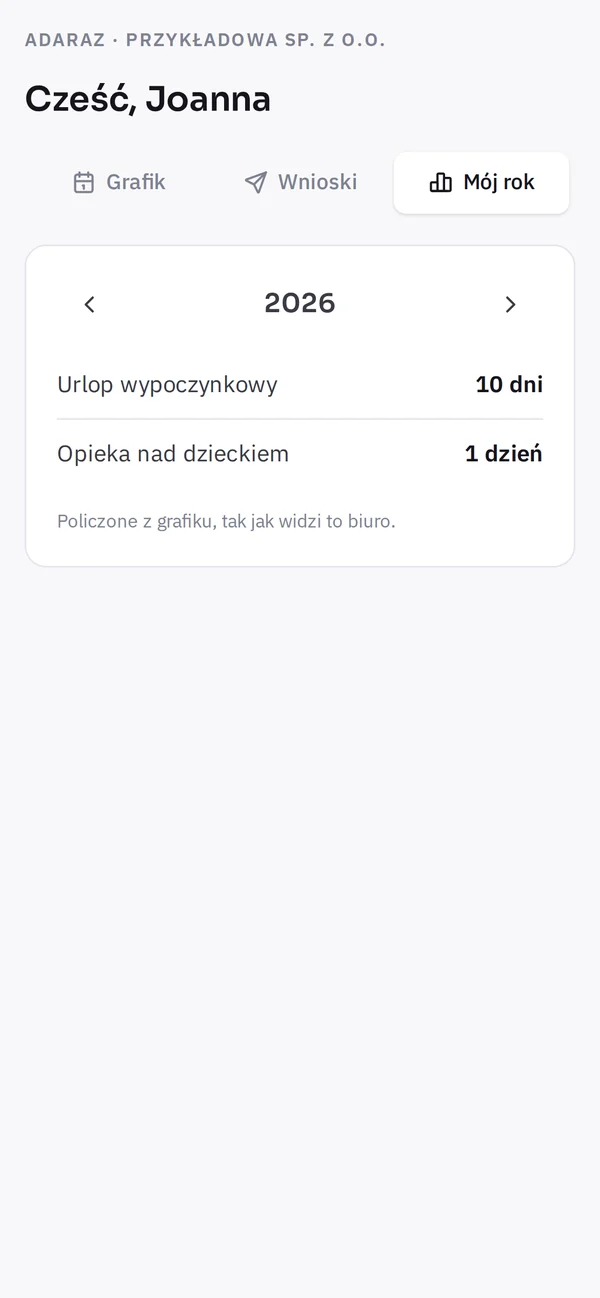
  • "My year": leave and other absence days counted from the roster.
  • A new link cancels the old one, and the office can switch access off with one click.
RCP-CLOUD employee panel on a phone, screen: Roster
Roster
RCP-CLOUD employee panel on a phone, screen: Requests
Requests
RCP-CLOUD employee panel on a phone, screen: My year
My year

What you get in RCP-CLOUD

Everything in the browser, on a computer or a phone. Nothing to install.

Today

  • Who is at work, who was late and who is not in yet.
  • Leave and sick leave for the day.
  • New requests and unknown cards right at the top.

Attendance

  • The whole month on one screen: each person's hours day by day.
  • Late arrivals, early exits and days without an exit marked in colour.
  • Attendance sheets to sign as PDF - for the whole company or one person.
  • A punch correction needs a reason and stays in the change history.
  • A closed month is locked. You can reopen it only with a reason.

Shift roster

  • Fixed hours or shifts from a roster, night shifts included.
  • Lay out the month with clicks, like a paintbrush.
  • Publish with one button and everyone gets their month by text message.
  • See who has the roster already and whose changed after sending.

Leave requests

  • Employees send requests from their own panel.
  • Approve or reject, with a reason.
  • Approved working days go into the roster by themselves.
  • Year summary: leave and absence days for each person.

Employees

  • Several cards or key fobs per person.
  • Assign an unknown card from the "Cards without an owner" list.
  • Employee panel through a personal link - no login or password.
  • People who leave go to the archive, and their sheets stay.

Company rules

  • Tolerance for late arrivals and early exits, up to 240 minutes.
  • Rounding to 5, 10, 15 or 30 minutes: to the nearest, in the employee's or the employer's favour.
  • Public holidays are days off automatically.
  • Rule changes apply from a chosen day - earlier months keep the old rules.

Security and data

  • Sign in with a passkey (fingerprint, face, PIN) or a password and a code from an app. Plus 10 backup codes.
  • A list of signed-in devices - sign out any of them. Account history for the last 180 days.
  • We keep data on ADARAZ's own infrastructure in the European Union.
  • No analytics, pixels or ads. Emails go through Amazon SES (servers in Frankfurt), text messages through SMSAPI.

Questions

How many readers can I connect?

As many as you need. Plans depend on the number of employees, not readers, and punches from all readers add up in one attendance sheet.

How do I connect a reader?

On basic.adaraz.com, in the "Czytniki" (Readers) tab, click "Podłącz urządzenie" (Connect device) to get a code. In the reader panel, enter it under Settings → Integrations → ADARAZ Cloud. The code works for 15 minutes and only once.

Do I need a reader?

Yes. Punches reach RCP-CLOUD from RAZ-RCP-1 readers, which you can buy in this shop.

What if a reader loses internet?

It keeps working and stores punches locally. Once the network is back, they reach the cloud on their own.

Do employees need an account?

No. They get a personal link by text message and see their roster and send leave requests in their own panel. You can switch the link off with one click.

How much do text messages cost?

The up-to-30-employees plan includes 50 text messages a month, the up-to-100 plan 150. Each extra one costs PLN 0.20 net and is invoiced. You can switch text messages off and employees still see the roster in their panel.

Where is my data?

On ADARAZ's own infrastructure in the European Union. We use no analytics or ads.

RAZ-RCP-1

No reader yet?

RAZ-RCP-1 works on its own, and with RCP-CLOUD you see everything from outside the office too.